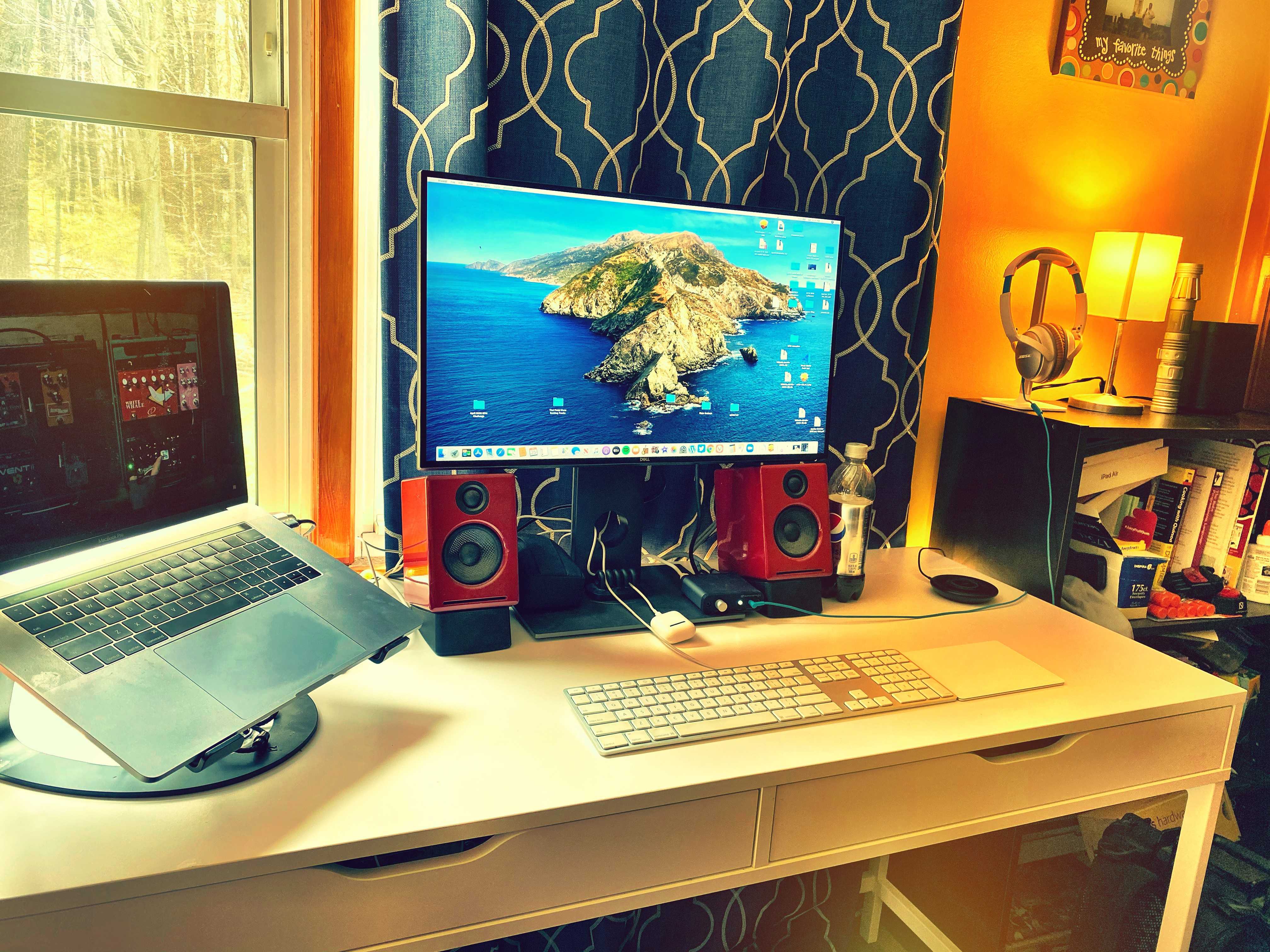
Home Office

Back story: When the pandemic first hit and we all started to work from home, Jen and I both had a desk in the same home office. Quickly we realized that we were in each other’s way and I moved my desk to our bedroom. We stayed like that until I had a minor covid scare in September of 2021. At that point I moved into my step son’s bedroom to quarantine. I slept and worked there for a few weeks and then moved back to the bedroom.

In the spring of 2022 we had our cellar redone and in April I moved my desk downstairs. I’m still there. Over the course of this working from home journey, both of my step kids have moved into apartments in Burlington, VT. I promised them that they would always have a place in our house if they needed it, and that includes a place to sleep when they come to visit. Due to that, their bedrooms will remain their bedrooms forever.

When my step daughter moved out she left most of her furniture here. When my step son moved out he took all of his furniture with him. Jen and I have been trying to figure out a way to re-furnish his room. So far we’ve only put a day bed in there. He used it when he was home for a visit last week. That worked out well. What else can we do though?

The next move is going to be adding a computer desk to his room. In fact, I think I am going to move my work from home office in there. My plan is to work from the desk in his room when he’s not here, and work at my current desk in the cellar when he is. That means I am literally going to have two home office spaces. I will keep my music nook setup in the cellar as well. I make all of my guitar noise there as well as doing all of my morning exercise. That’s too much ruckus for upstairs next to Jen’s workspace, so that clearly stays downstairs. Everything for my work space though is going to be duplicated upstairs.

We found a desk online that looks like it will be perfect. We have a couple of monitors we’re not using that will be perfect. Jen has a keyboard and a laptop stand I can use. We ordered a wireless mouse and a webcam and a USB hub today. It’s going to take a week or two to put all of this together so I will keep working from the cellar for now, and then right about the time it will all be setup my step son will be on Christmas break so he’ll be coming home for part of it. While he’s home he can use the desk too. I might even look to put a cheap desktop machine there for him to use and for me to use for any non-work stuff that might come up while I’m in there. That seems like a decent plan.

Now we just have to make it all happen.

It Survived

When I work at my parents house I am sitting at the dining room table using a massive desk setup that belongs to my brother. Three monitors and the switcher that lets you use them with a single USB C plug, wireless keyboard and mouse, and a USB hub. Lots and lots of stuff. I’m using it every time I work here, but I have not contributed anything to the work space.

Until today.

It survived the trip. I think I am going to leave it here because it’s pretty delicate and I don’t know how many trips back and forth in a backpack it has in it. Still, this little five speed USB sucker is my new favorite desk swag.

Half Day

I’m at my parents’ house in Tewksbury. About a 17 minute drive from my house. I logged into work about 30 minutes early and now I’m on my lunch break, roughly halfway through the business day.

Any thoughts?

I have a mask that includes a neck strap. I love it. It’s always there. I never have to stop and think about where I put it the last time I took it off. It was around my neck but not on my face when I logged in to my group’s daily meeting. My staff thought it was a bib. It kinda looks like a bib.

I’ve decided that a three monitor setup might be too much for me. I’m not sold on that yet, but I think that might be the case. At home I have a single monitor but it is gigantic. Hijacking my brother’s workspace, his three monitors definitely have more screen real estate than my single monitor, but not nearly as much as you’d think. I initially put my schedule on the left monitor, my email on the right monitor, and then worked on the middle. In theory that is perfect, but in practice I was missing emails because the screen requires me to actually move my head to see it. I moved the email back to the middle and adjusted the windows I was working on so that I could do it in front. Basically reproducing my single monitor from home. I like this.

My mother came over and talked to me as I was waiting for a meeting to start. I was on Zoom with about 10 other people. They asked me if I was trying to talk to them while I was on mute. Nope, just talking to Mom. I don’t know if she gets the telecommuting concept. She seems to, but maybe she just forgot when I told her I was on a meeting. Later, when I wasn’t on a meeting, she walked over and passed me a note. Okay, maybe she does get it. Cool. Thanks, Mom!

There is one thing that I need that I don’t have today and that is a haircut. Soon, my long, flowing red locks. Soon.

My Spot

Christmas presents were finally hung. The one on the right is the star chart for the night of our first date. The two on the left are Rush awesomeness. The top one is a clock. I love clocks. I love Rush. The bottom one is a metal plate and it’s awesome. There is no doubt who sits at that desk now.

Desk Craziness

Forgive me, but I am going to reuse a picture I posted yesterday.

Working from home has caused some desk setup questions that I didn’t want to deal with, but I think I finally have.

Prior to social distance I had two laptops on my desk in our home office.  I used my MacBook Pro along with a second monitor for all but the eight hours I was telecommuting on Thursdays.  While telecommuting, I switched to a second laptop, running Windows 10.  I used the same second monitor.  I have a 3-1 adapter that has a USB 2.0, HDMI, and USB C input into a single USB C plug.  I had my USB dock, my monitor, and my power all running into it.  When I switched from Mac to Windows I’d just pull the adapter out of one machine and plug it into the other.  Done.

Once the lockdown started I brought my work PC home from Waltham and used that instead of the Windows laptop.  I couldn’t use the same monitor cable for both machines, and the desktop doesn’t have a USB C port, so I was pulling plugs in and out twice a day.

On top of that, Jen and I are both working from home, both in the same room, and both having to join meetings at the same time.  To deal with this I moved my Windows laptop to our bedroom and jokingly called it the conference room.  At first I was using a dinner tray table as a desk, then I setup one of Jen’s old desks instead, and then Jen brought a monitor, a keyboard, and a mouse out and turned the spot into an actual work station.

Yesterday Jen and I both had meetings scheduled for the better part of the day so I bit the bullet and moved my Waltham desktop into the bedroom and spent the whole day in there.  I was planning to move it back to the office this weekend, but instead I talked it over with Jen and we decided to keep a Windows desk in the bedroom and an Apple desk in the office.

Now I am a two desk crazy person.  Certifiably.

237/365

Untitled

The minute the lock down ends, my Waltham machine goes back to Waltham and I move all my stuff back to the office. This is temporary.